Schedule Your Social Media Links Automatically with AlinkMe
Managing multiple social media promotions manually can be time-consuming. With AlinkMe Schedule Links, you can automatically control when specific links appear on your public profile.
Whether you're promoting an event, limited-time offer, YouTube video, affiliate link, or social media campaign, AlinkMe lets you schedule links with precision.
What is Schedule Links?
The Schedule Links feature allows you to show or hide profile links based on:
- Date
- Time
- Day of Week
- Day of Month
This helps you automate your profile without constantly updating links manually.
How to Access Schedule Links
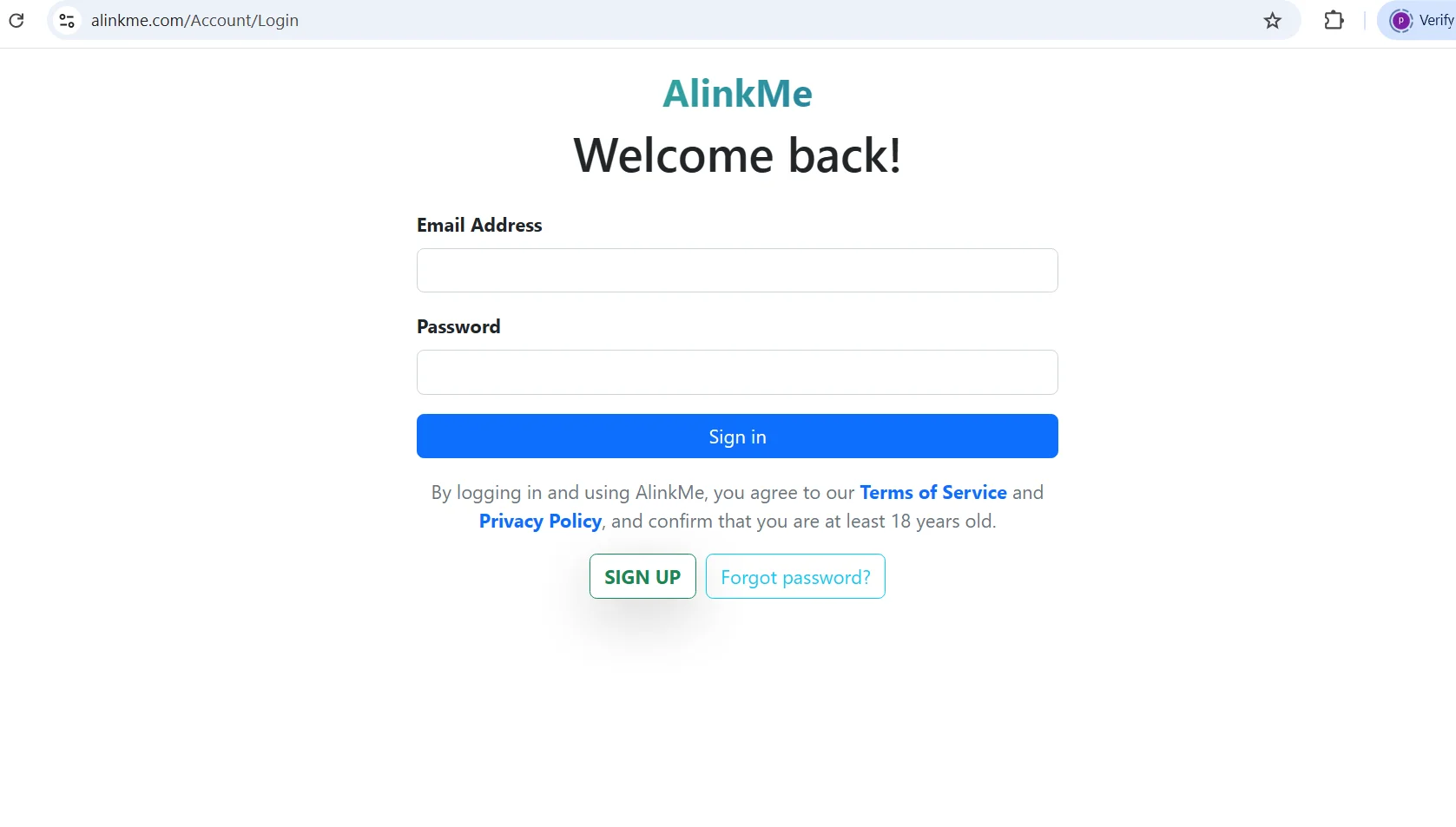
- Login to your account at https://www.alinkme.com
- Open your Dashboard
- Click Schedule
- Select the link you want to schedule
- Configure the schedule settings
- Save your schedule
Schedule Types Available
AlinkMe supports four powerful scheduling options.
1️⃣ One-Time Schedule
Perfect for:
- Product launches
- Event promotions
- Webinar registrations
- Flash sales
- Seasonal offers
Example
Show a Facebook Event link:
- Start Date: 15 January 2026
- Start Time: 9:00 AM
- End Date: 20 January 2026
- End Time: 11:59 PM
The link automatically appears and disappears during the selected period.
2️⃣ Daily Schedule
Perfect for recurring daily promotions.
Example
Show your Instagram link every day:
- Start Time: 8:00 AM
- End Time: 10:00 PM
The link becomes visible daily during these hours.
Great For
- Daily content creators
- Business promotions
- Customer support links
- Online store offers
3️⃣ Weekly Schedule
Display links on selected weekdays.
Example
Show your YouTube channel only:
- Monday
- Wednesday
- Friday
This is useful for scheduled content publishing.
Great For
- Weekly video releases
- Business campaigns
- Podcast promotions
- Live stream announcements
4️⃣ Monthly Schedule
Display links on specific days of each month.
Example
Show a special promotion on:
- 1st of every month
- 15th of every month
- Last week campaign
Great For
- Monthly newsletters
- Membership renewals
- Salary day offers
- Monthly product launches
Configure Schedule Settings
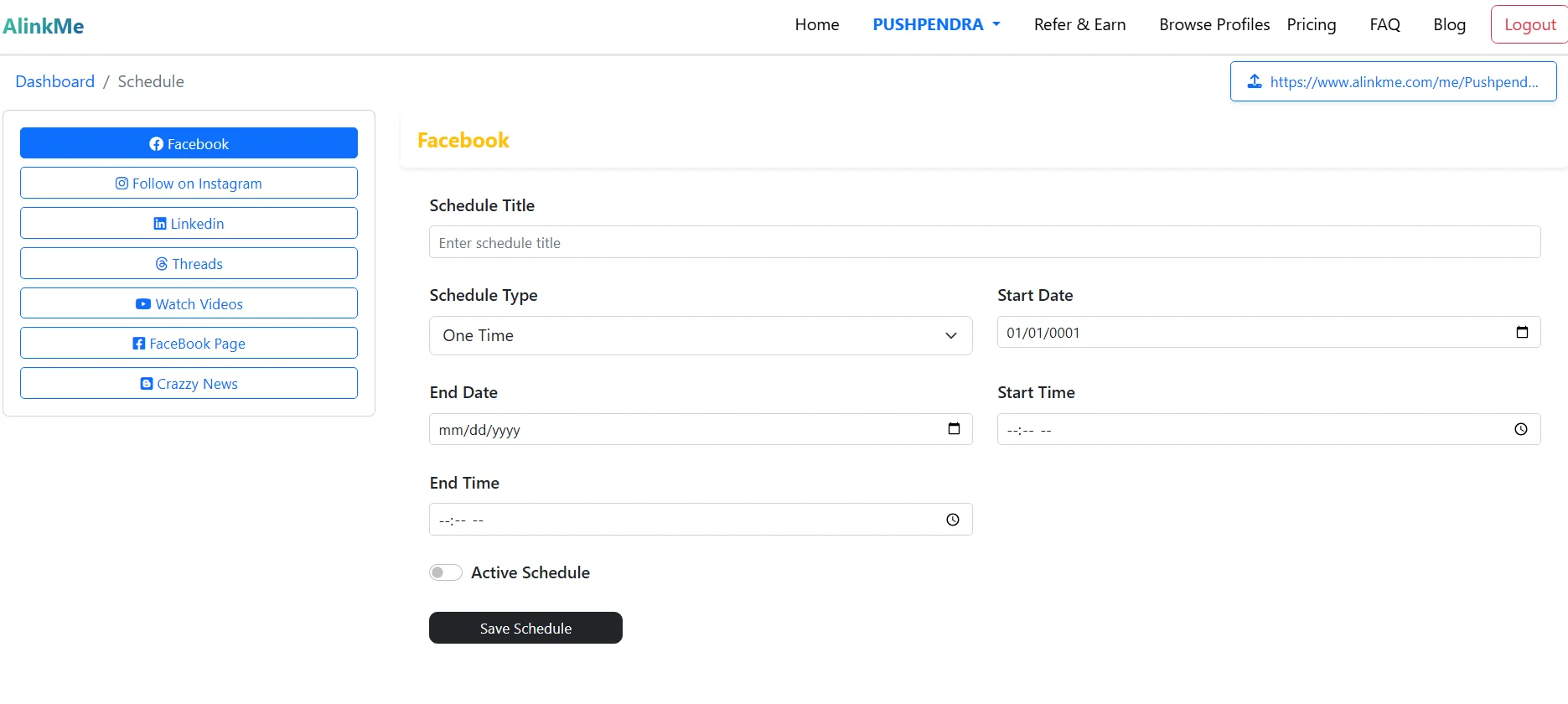
The Schedule screen allows you to configure:
Schedule Title
Create a name for your schedule.
Examples:
- January Promotion
- Weekly YouTube Campaign
- Daily Instagram Boost
Start Date & End Date
Control when the schedule begins and ends.
Start Time & End Time
Define the exact hours the link should remain visible.
Active Schedule
Enable or disable schedules instantly using the Active Schedule toggle.
Benefits of Link Scheduling
Save Time
No need to manually edit links every day.
Increase Engagement
Show the right content at the right time.
Promote Events Automatically
Run campaigns without constant monitoring.
Better Marketing Control
Manage multiple promotions from a single dashboard.
Seasonal Campaigns
Perfect for holidays, festivals, and special occasions.
Real-World Use Cases
Influencers
- Schedule Instagram promotions
- Promote new YouTube videos
- Showcase affiliate products
Businesses
- Limited-time offers
- Product launches
- Seasonal campaigns
Restaurants
- Weekend specials
- Daily menu offers
- Festival promotions
Content Creators
- New podcast episodes
- Weekly livestreams
- Course launches
Example Schedule Strategy
Morning
Instagram Link
8:00 AM – 12:00 PM
Afternoon
YouTube Link
12:00 PM – 6:00 PM
Evening
Telegram Community Link
6:00 PM – 11:00 PM
AlinkMe automatically switches links according to your schedule.
Why Use AlinkMe Schedule Links?
Unlike standard link-in-bio tools, AlinkMe gives you advanced automation capabilities. Your profile becomes dynamic, showing visitors the most relevant content based on time and date.
This improves engagement, increases conversions, and helps you manage promotions more efficiently.
Start Scheduling Today
👉 Login to https://www.alinkme.com
👉 Open Schedule Settings
👉 Choose One-Time, Daily, Weekly, or Monthly scheduling
👉 Automate your social media promotions and marketing campaigns effortlessly with AlinkMe.