Frequently asked questions
Browse through these FAQs to find answers to commonly asked questions.
1. Share your referral link and earn 10% every time someone registers with a paid plan on alinkme!. T&Cs apply.
2. Share your personal AlinkMe link. When someone signs up using your link and creates their profile page, you earn reward points instantly.
Social Media Link Sharing Articles & Guides
Sharing your social media profile links correctly ensures that people can easily find and connect with you. Whether you're adding links to your website, email signature, or business profile, it's important to use the correct format and best practices.
How to Find Your Facebook Profile Link
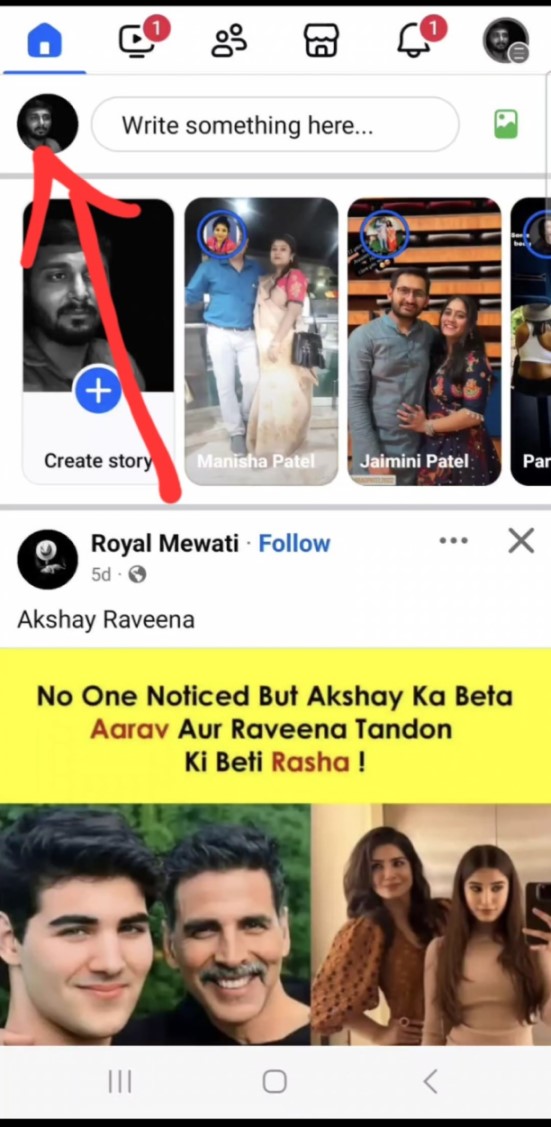
Step 1: Open Facebook
Open your Facebook profile and click on your profile icon.
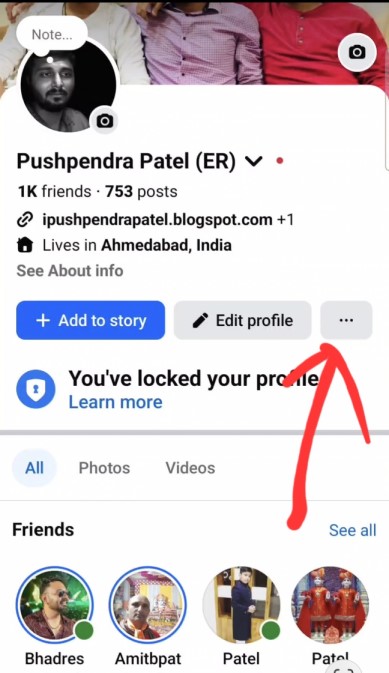
Step 2: Click Three dots
Click on the three dots on your profile page.
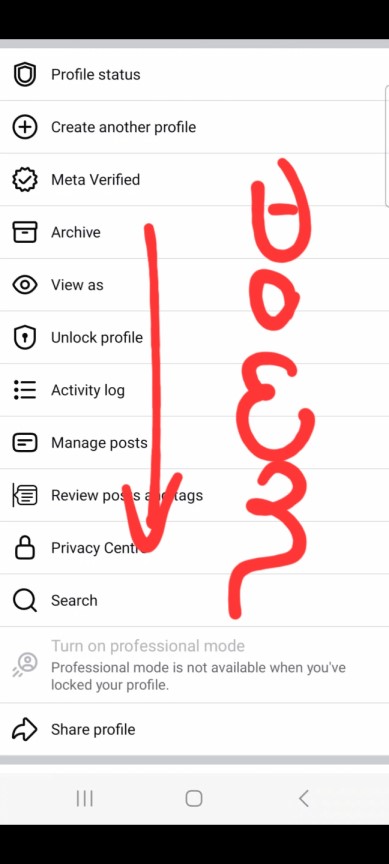
Step 3: Profile Settings Scroll
Scroll down to find your profile link with your username. Just copy and paste.
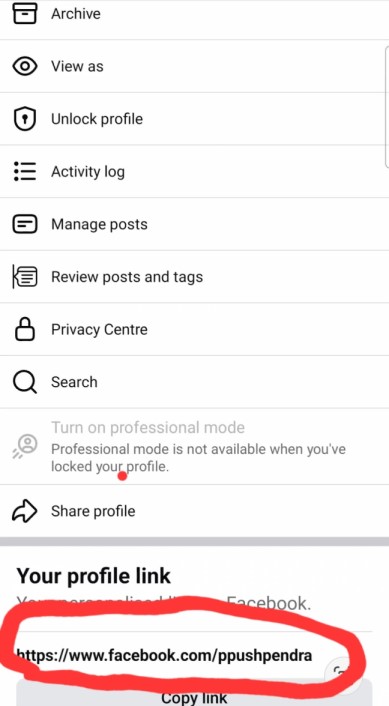
Step 4: Profile Settings
Copy and paste link where you want to enter.
Ex: https://www.facebook.com/yourusername
How to Find Your Instagram Profile Link
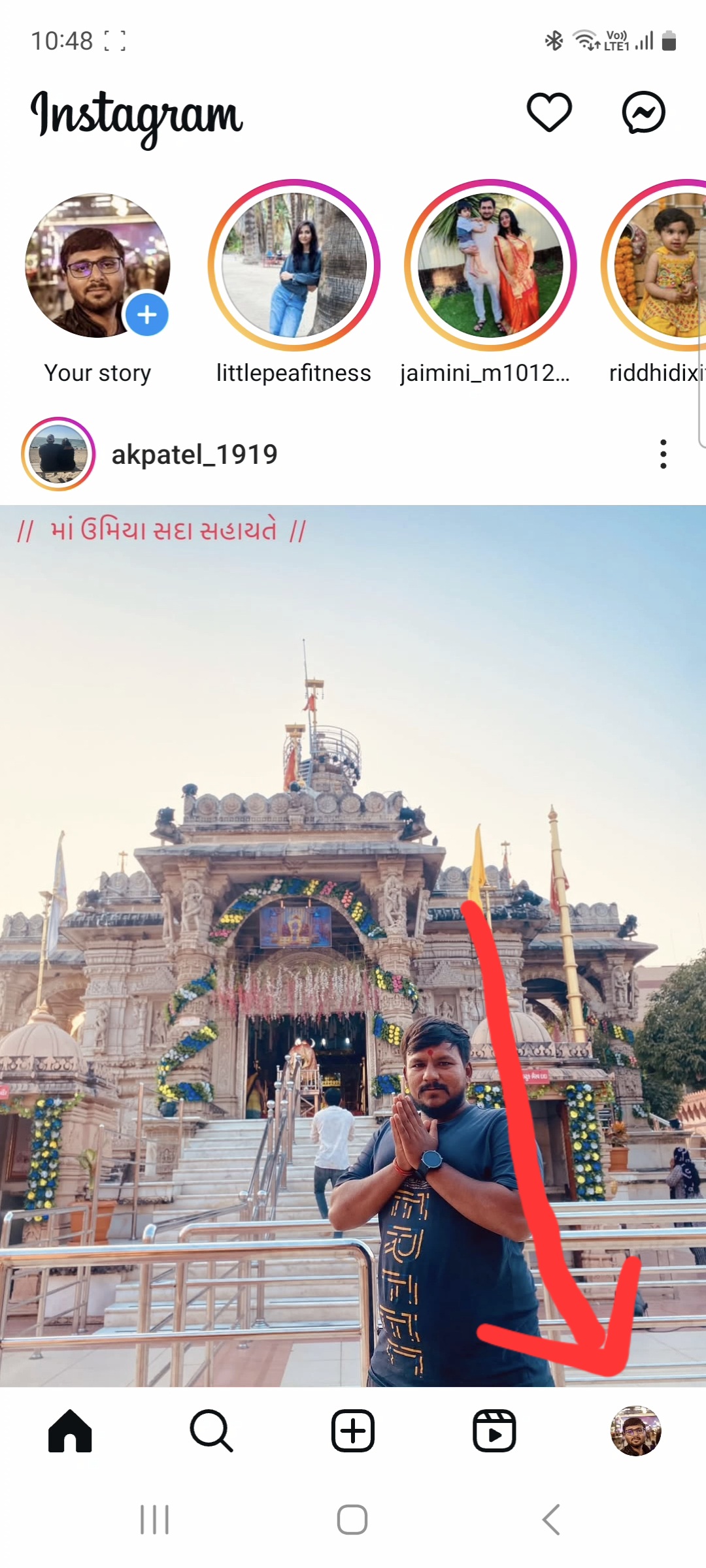
Step 1: Open Instagram
Open your Instagram profile and click on your profile icon.
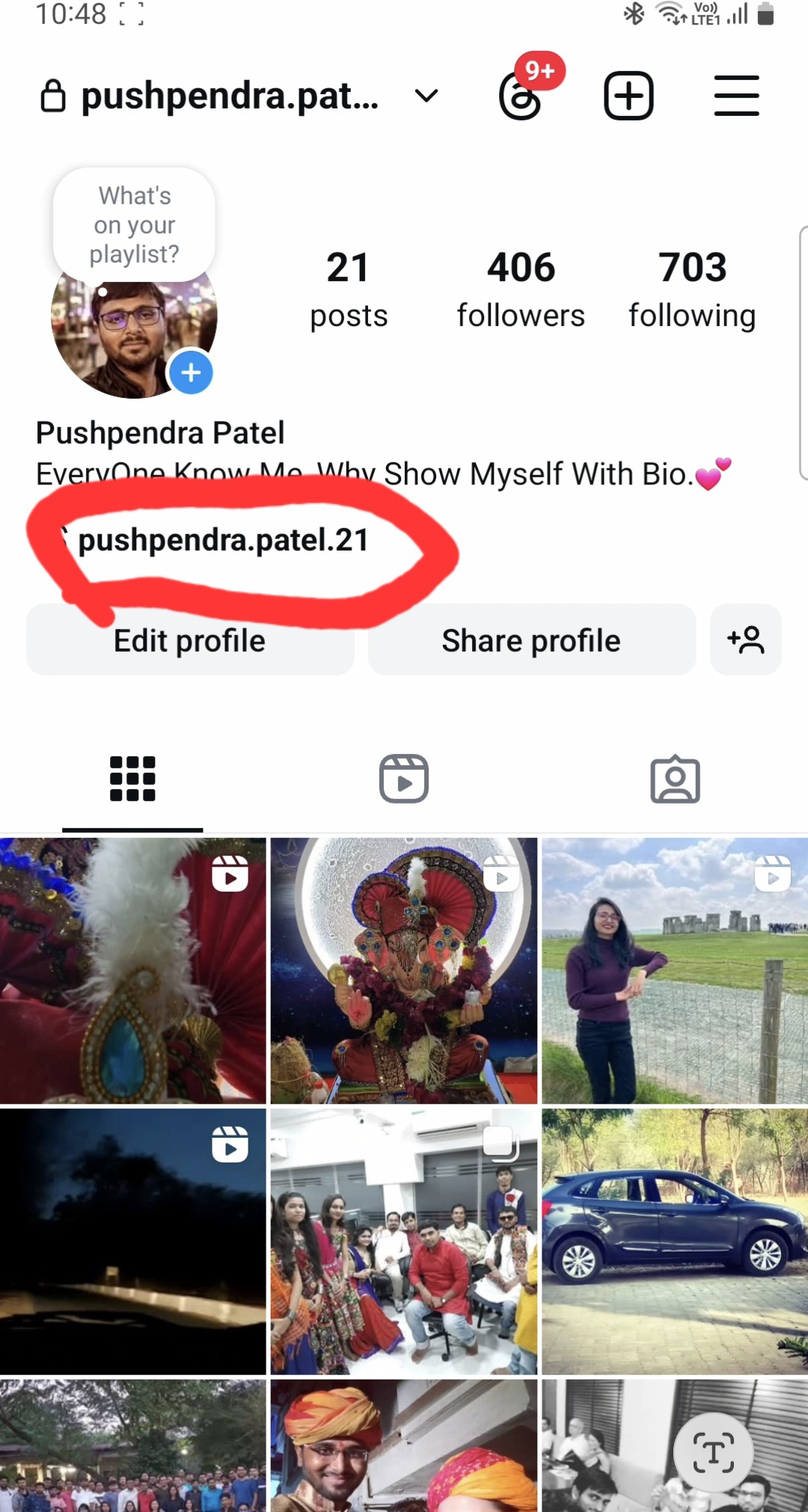
Step 2: Your instagram profile
You can see user name of your instagram. Copy and paste username
Ex : https://www.instagram.com/yourusername.
How to Find Your Linkdin Profile Link
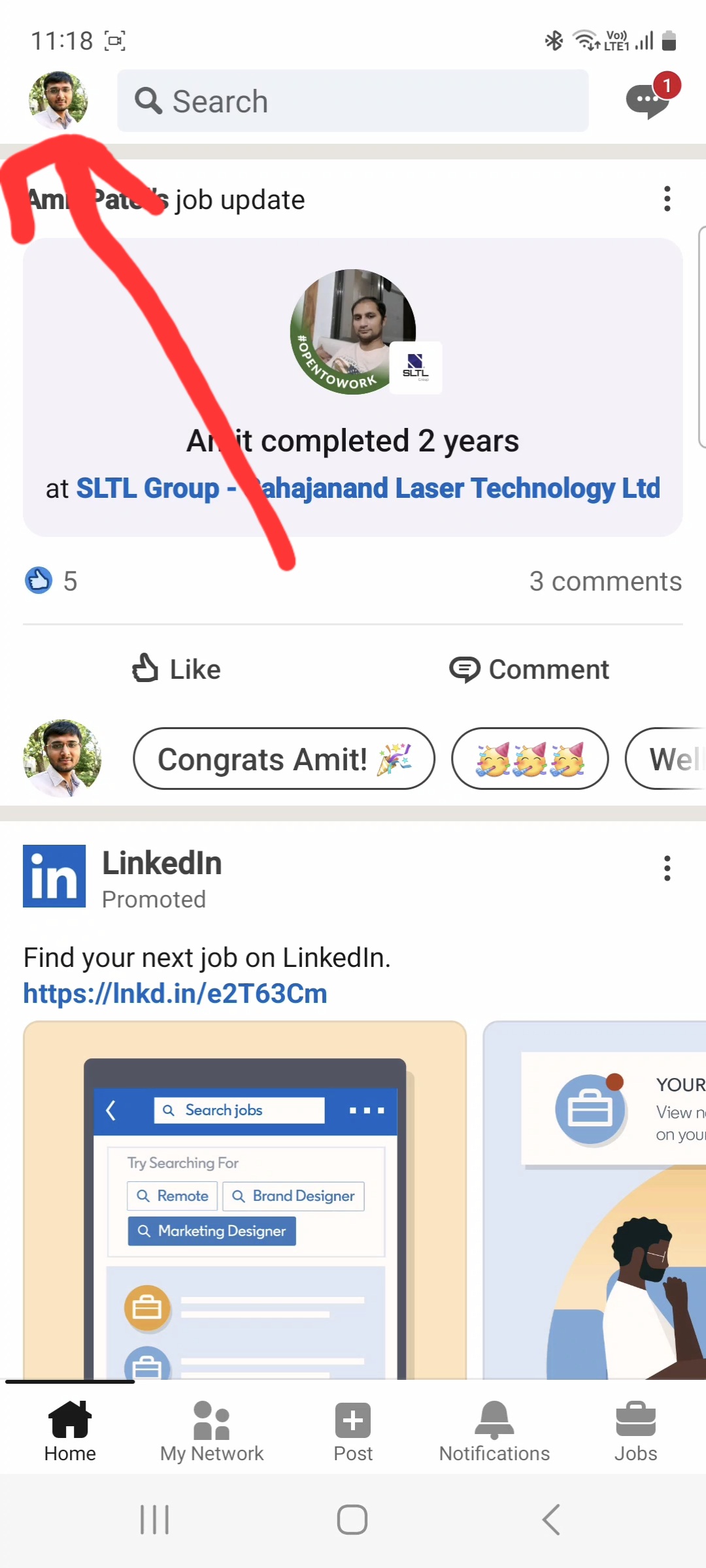
Step 1: Open Linkdin
Open your Linkdin profile and click on your profile icon.
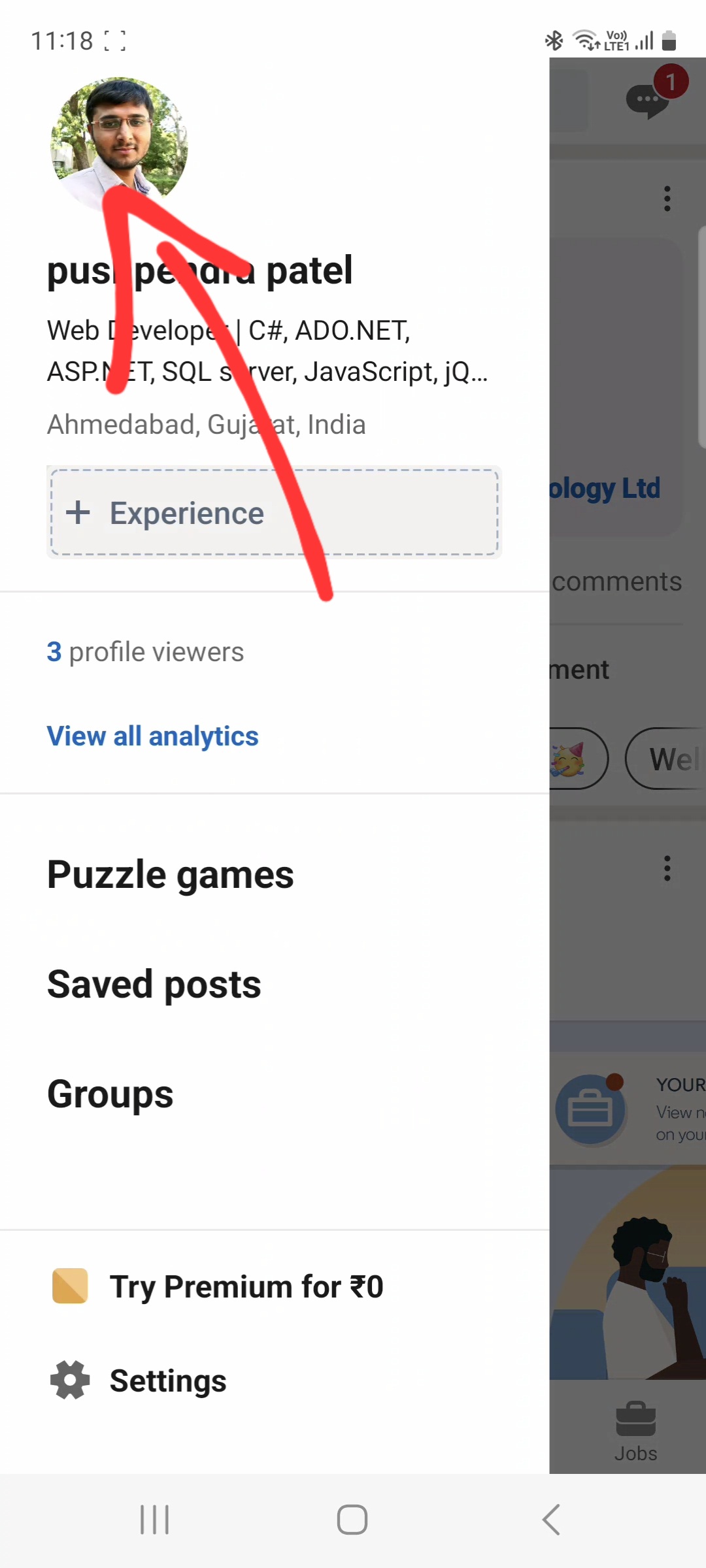
Step 2: Click Profile Icon
Click on the Icon on your profile page.
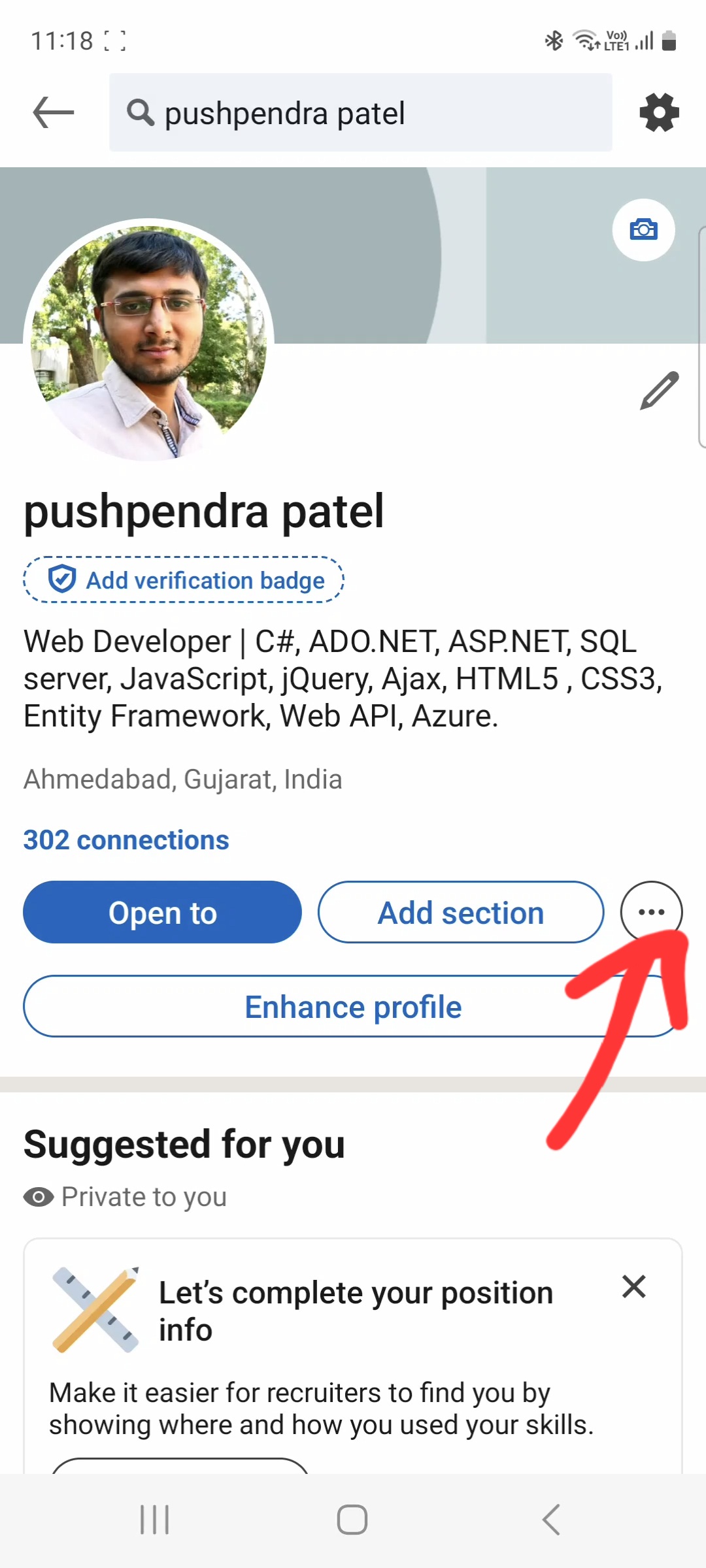
Step 3: Click on three dots.
Click on three dot on profile page.
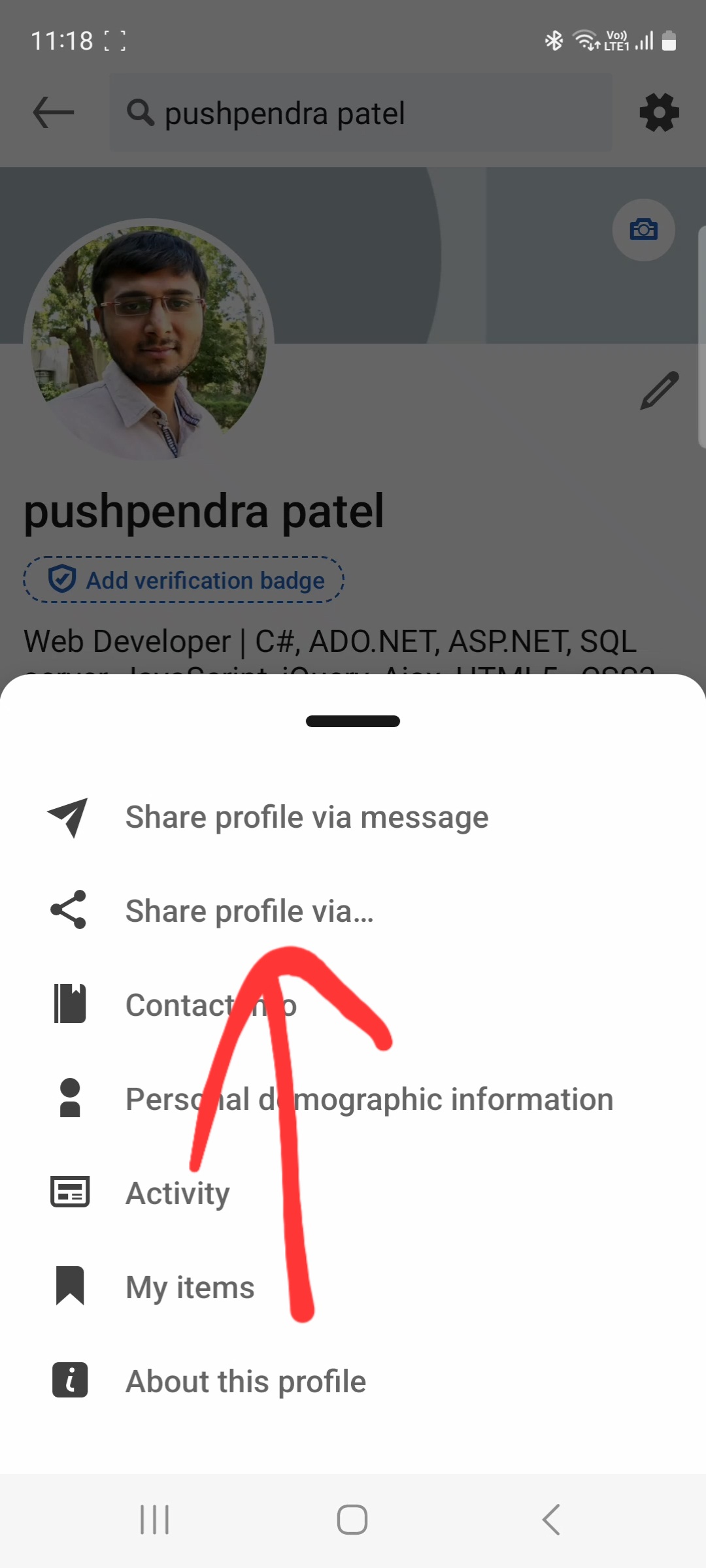
Step 4: Open link share profile popup
Click share profile via.....
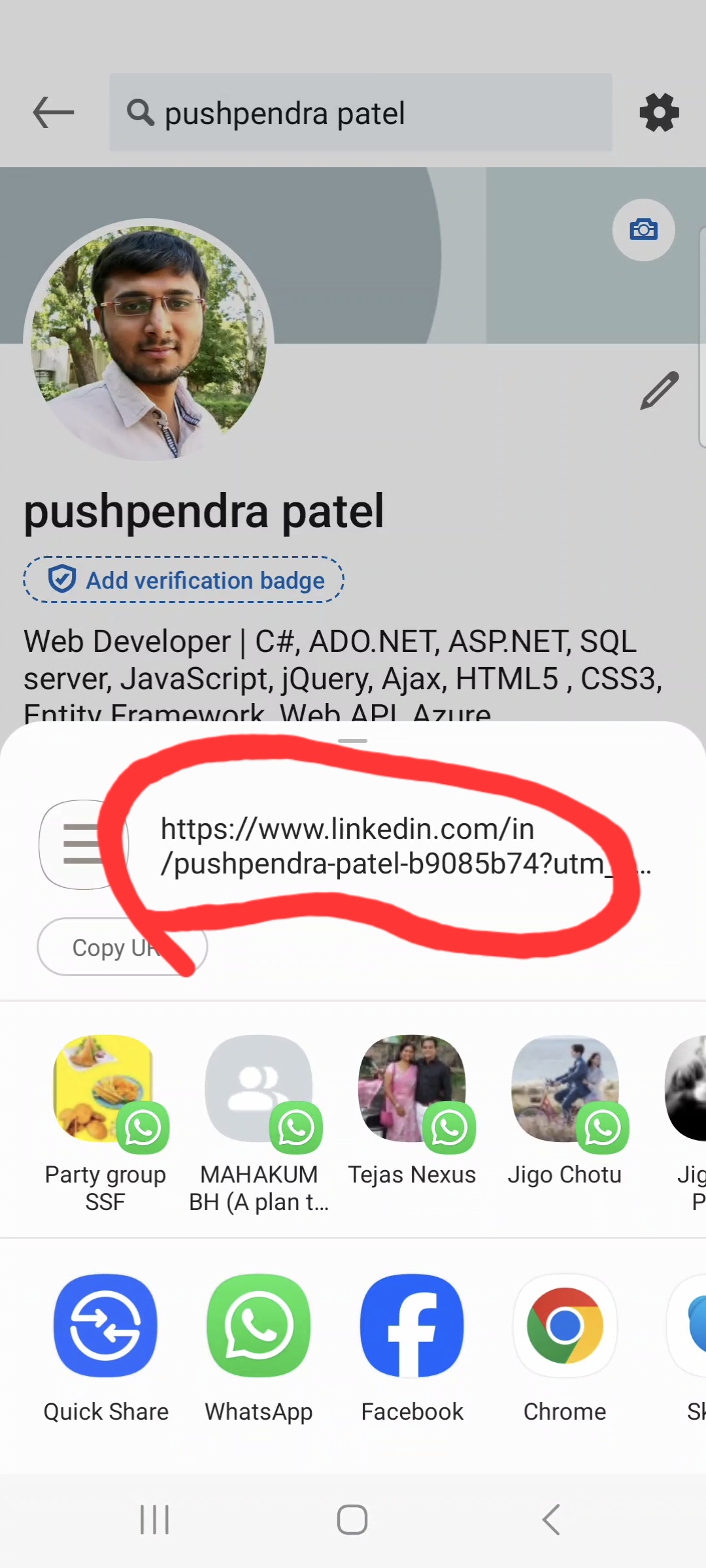
Step 5: Copy Url
Click share profile via, copy link and collect link upto question mark (?) and paste.
Ex : https://www.linkdin.com/yourusername.
How to Find Your Facebok Page Profile Link
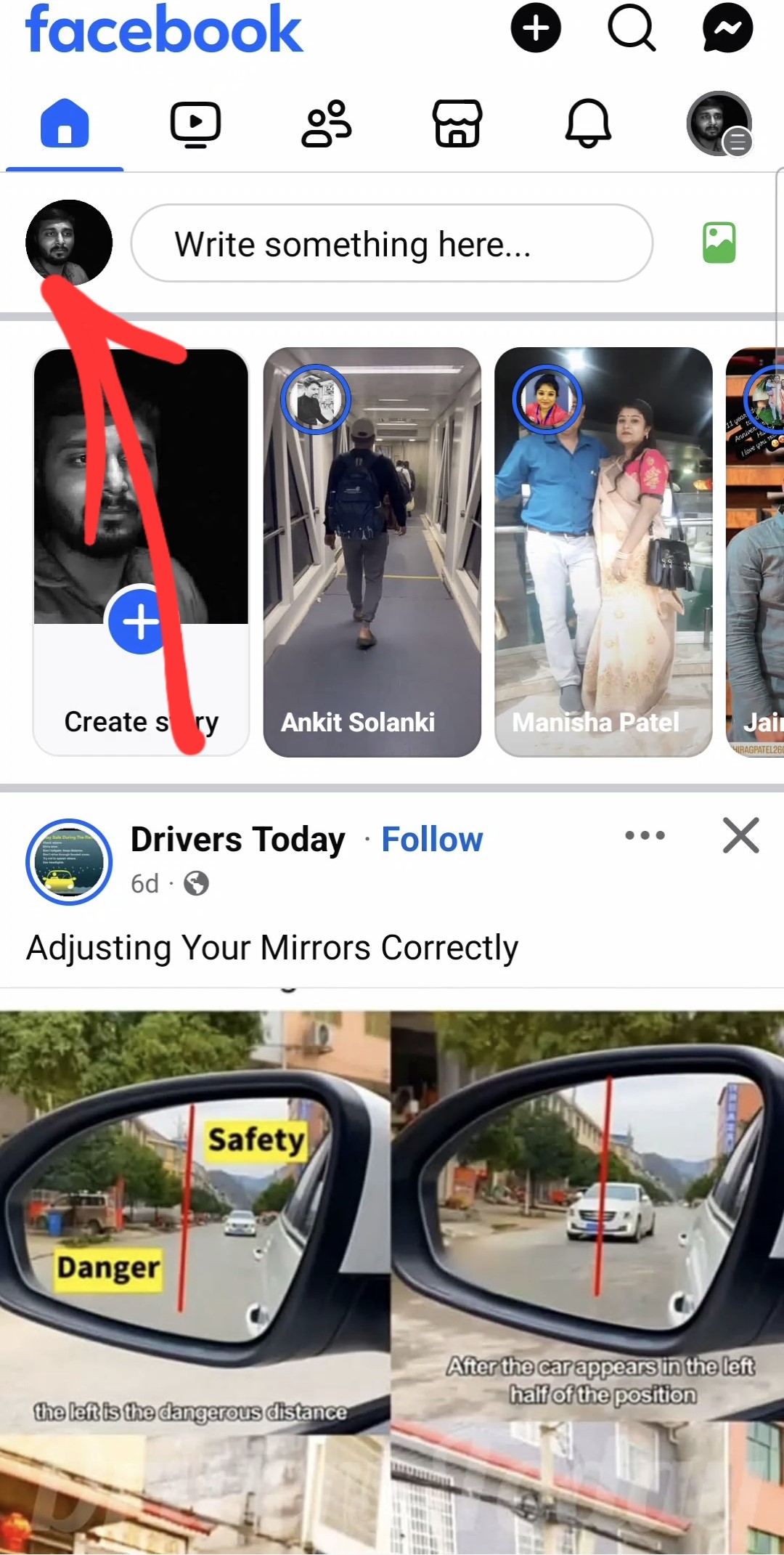
Step 1: Open Facebok page
Open your Linkdin profile and click on your profile icon.
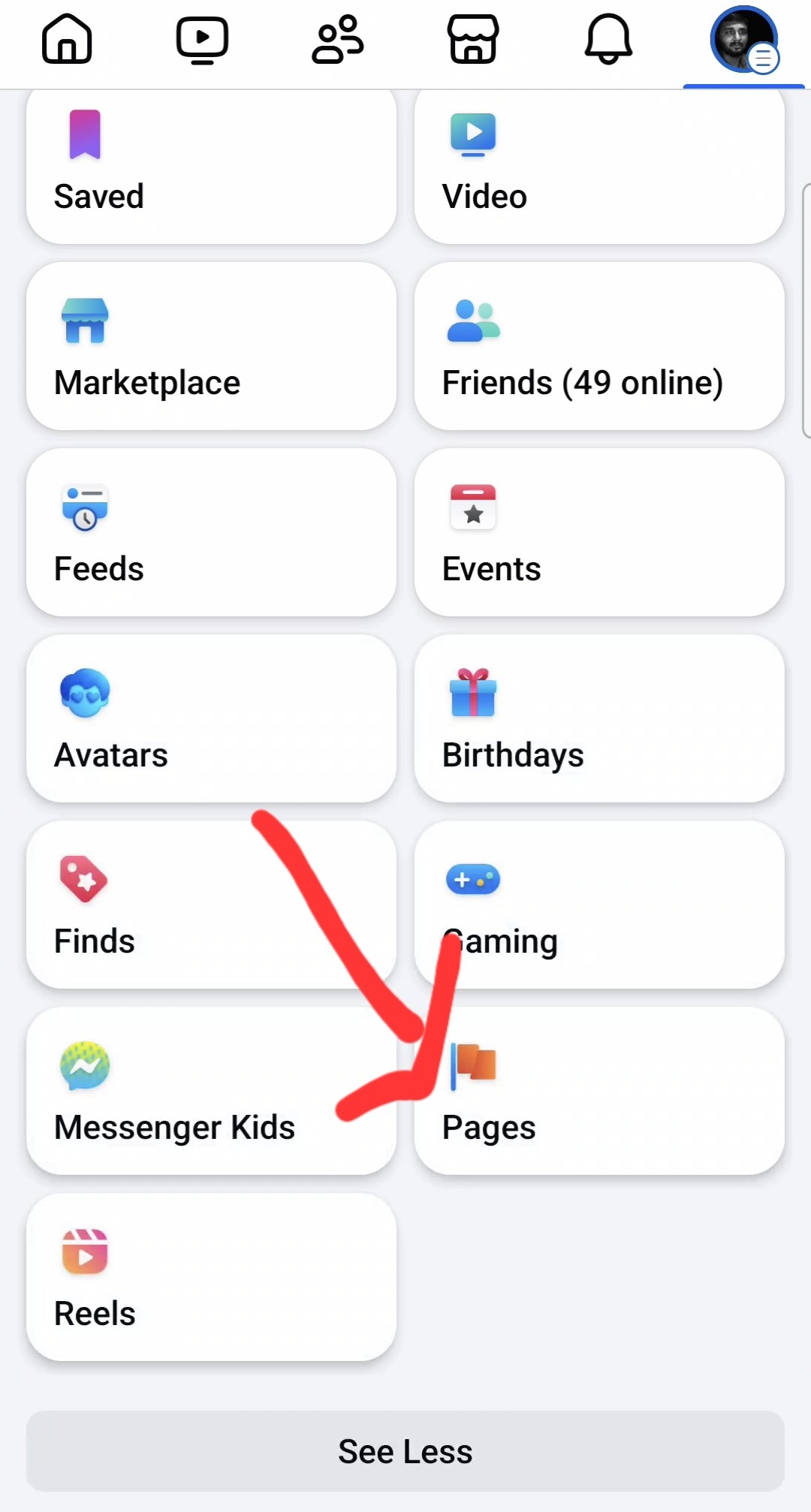
Step 2: Menu Items
Click on the Icon on your page.
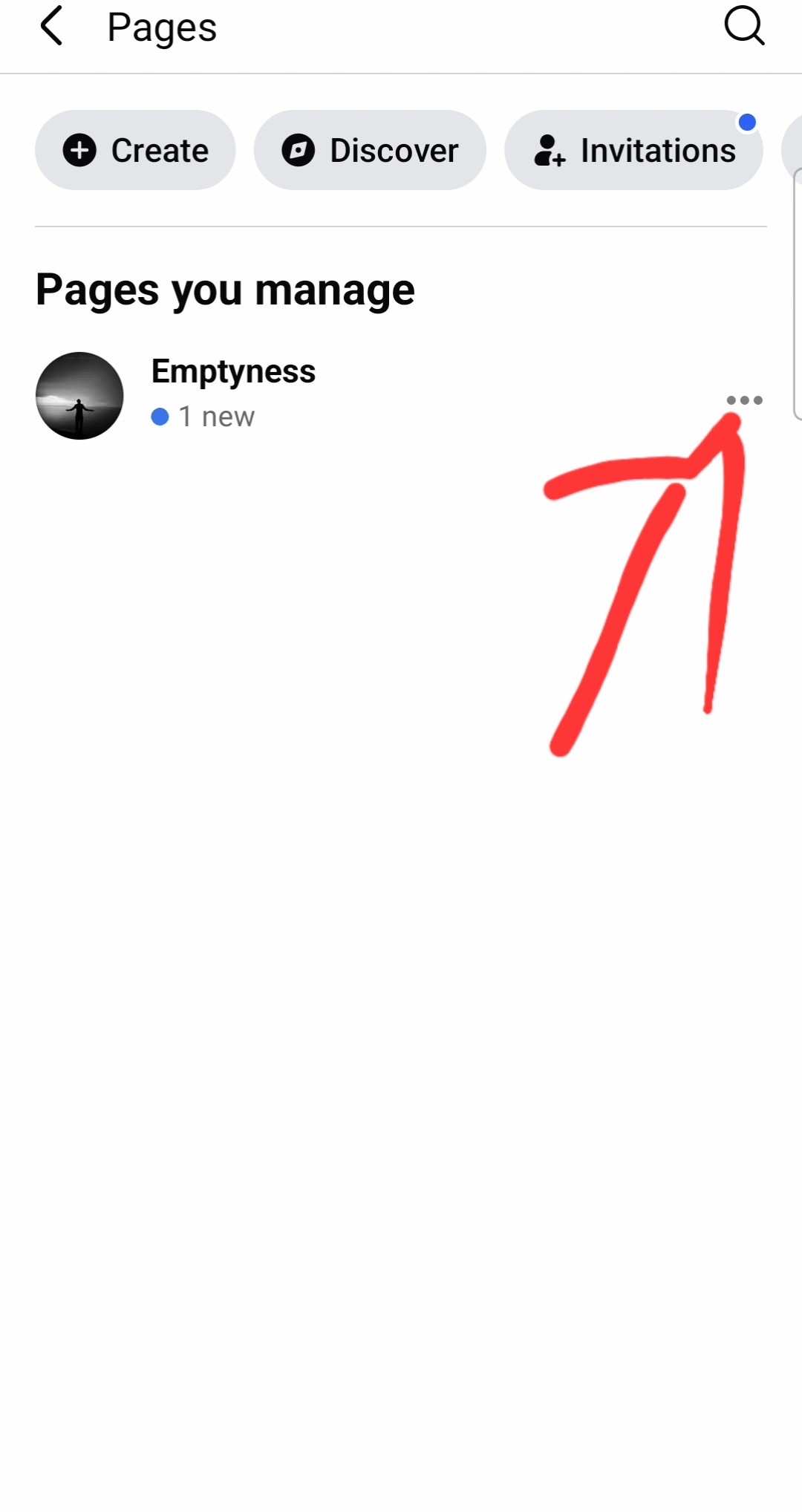
Step 3: Click on three dots.
Click on three dot on page.

Step 4: Opened your facebook page
Click again three dots...

Step 5: Copy Url
Click share profile via, copy link and collect link upto question mark (?) and paste.
Ex : https://www.facebook.com/profile.php?id=pageusername.
How to Find Your Threads Profile Link
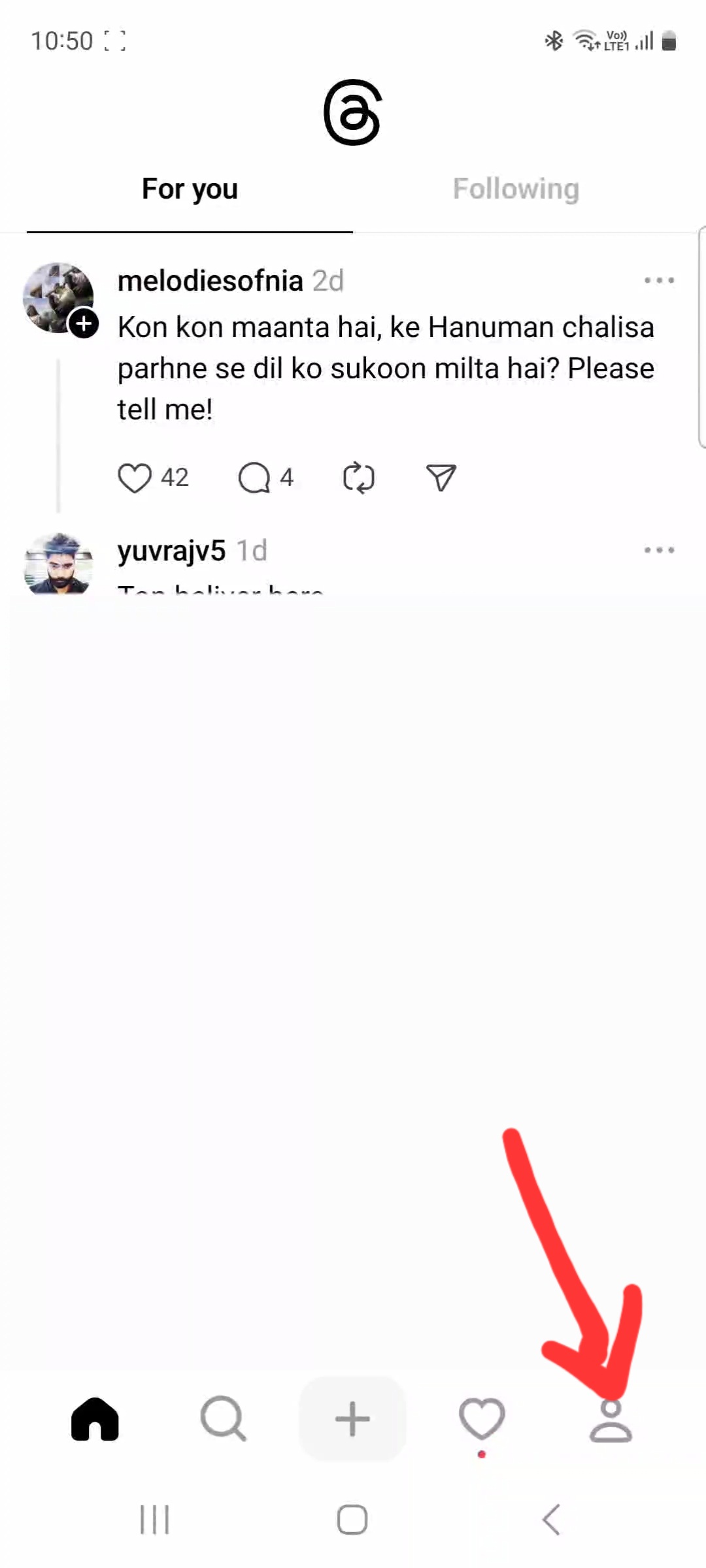
Step 1: Open Threads
Click on bottom of your profile icon.
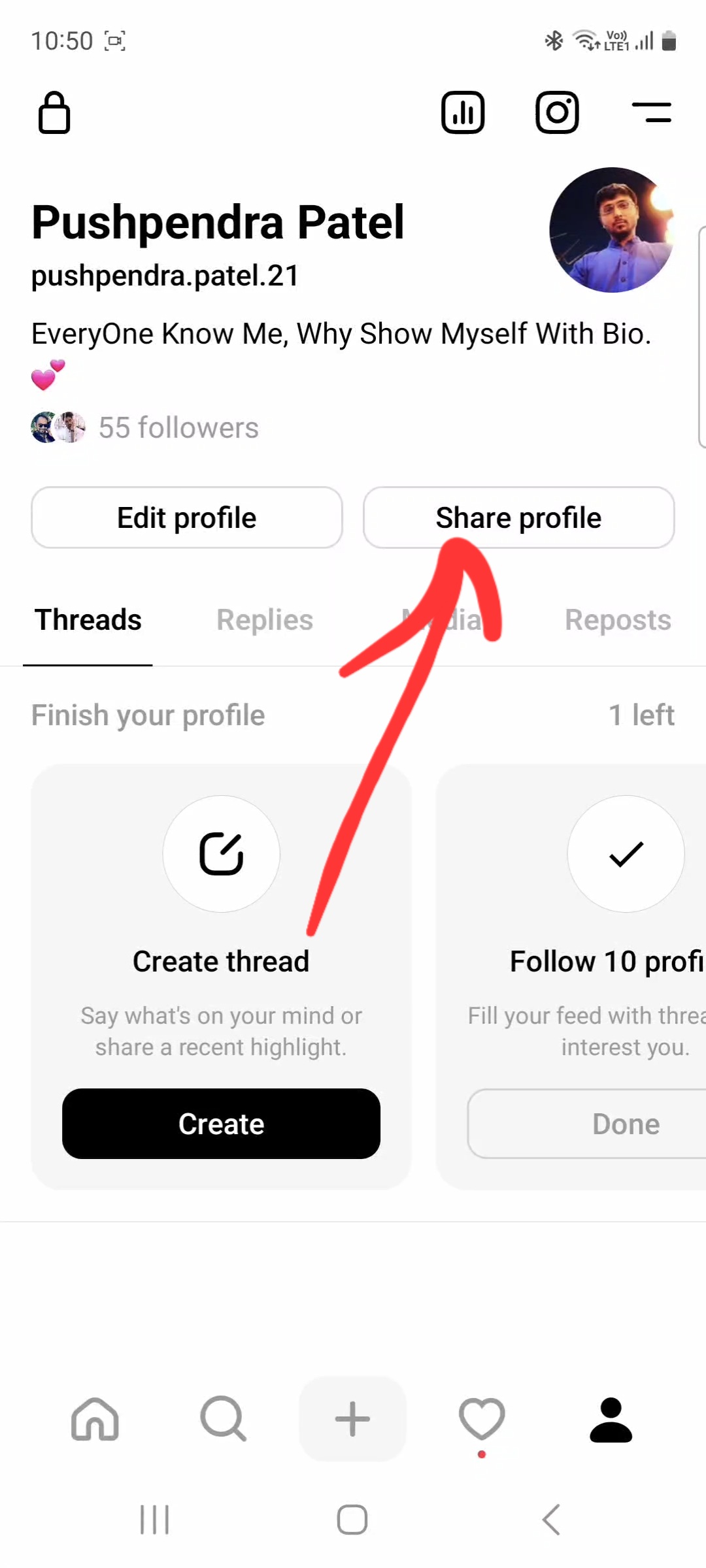
Step 2: Share profile
Click on the share profile button.
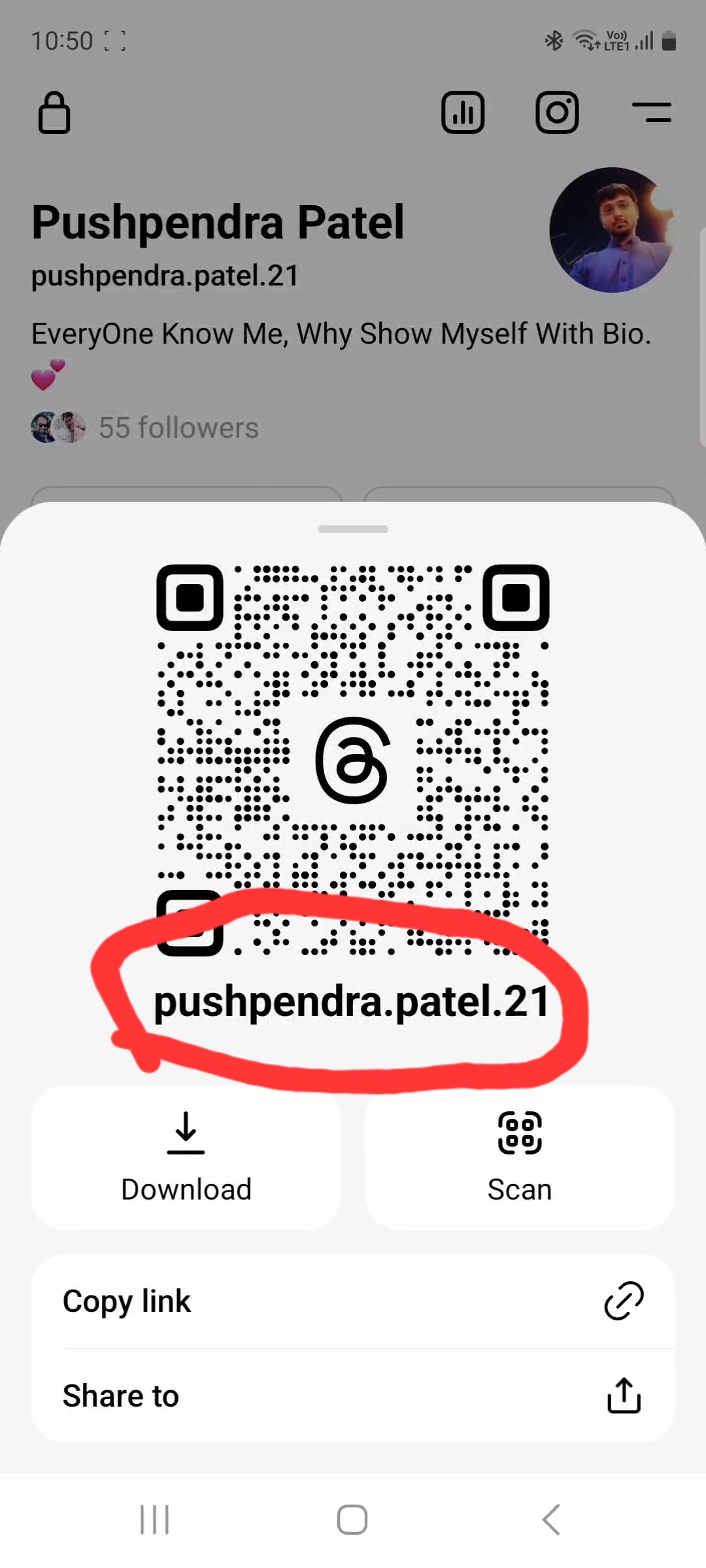
Step 3: popup open
popup screen you can see your user name.
Ex : https://www.threads.net/@username
How to Find Your Snapchat Profile Link
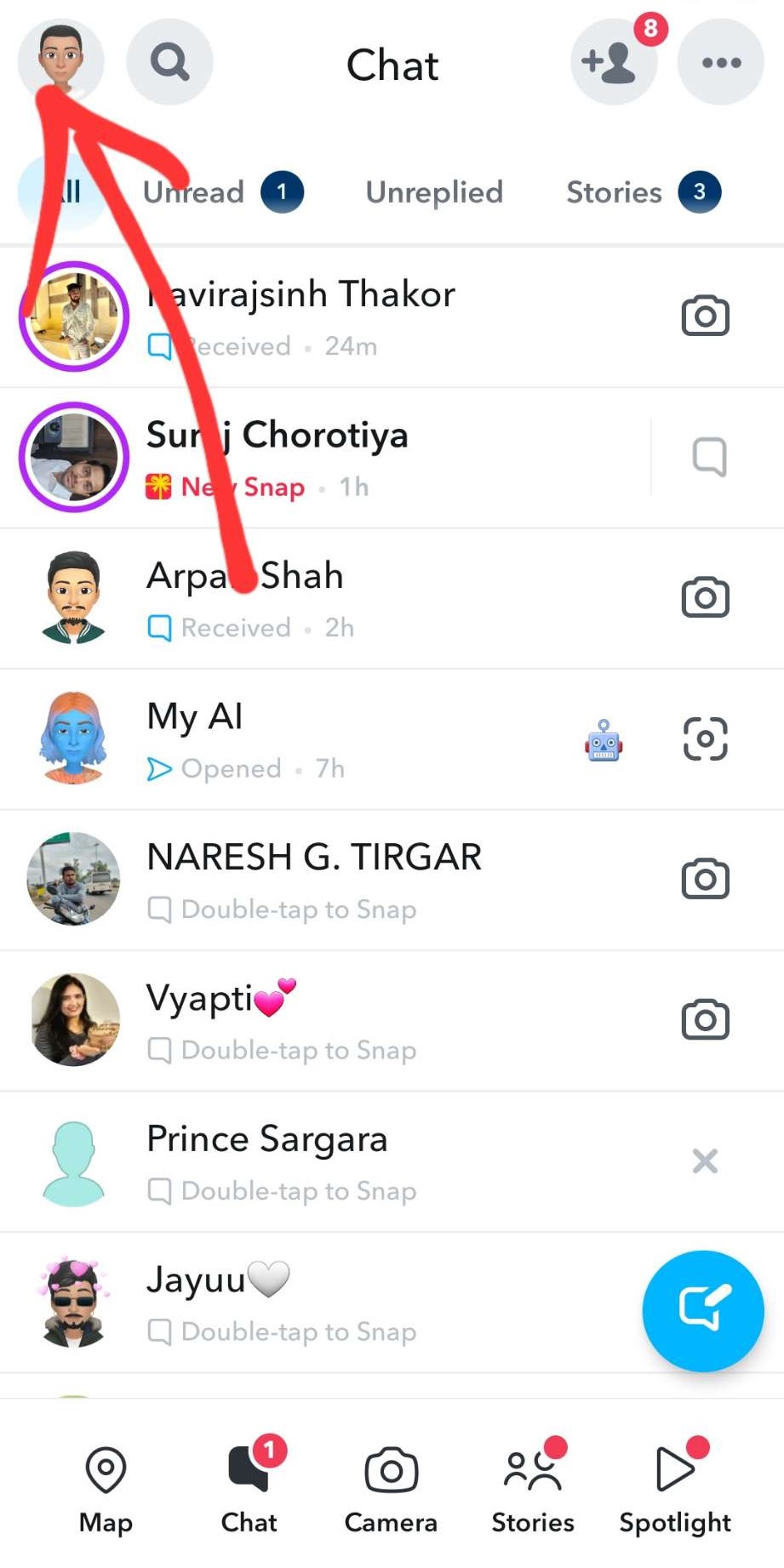
Step 1: Open Snapchat
Click on bottom of your profile icon.
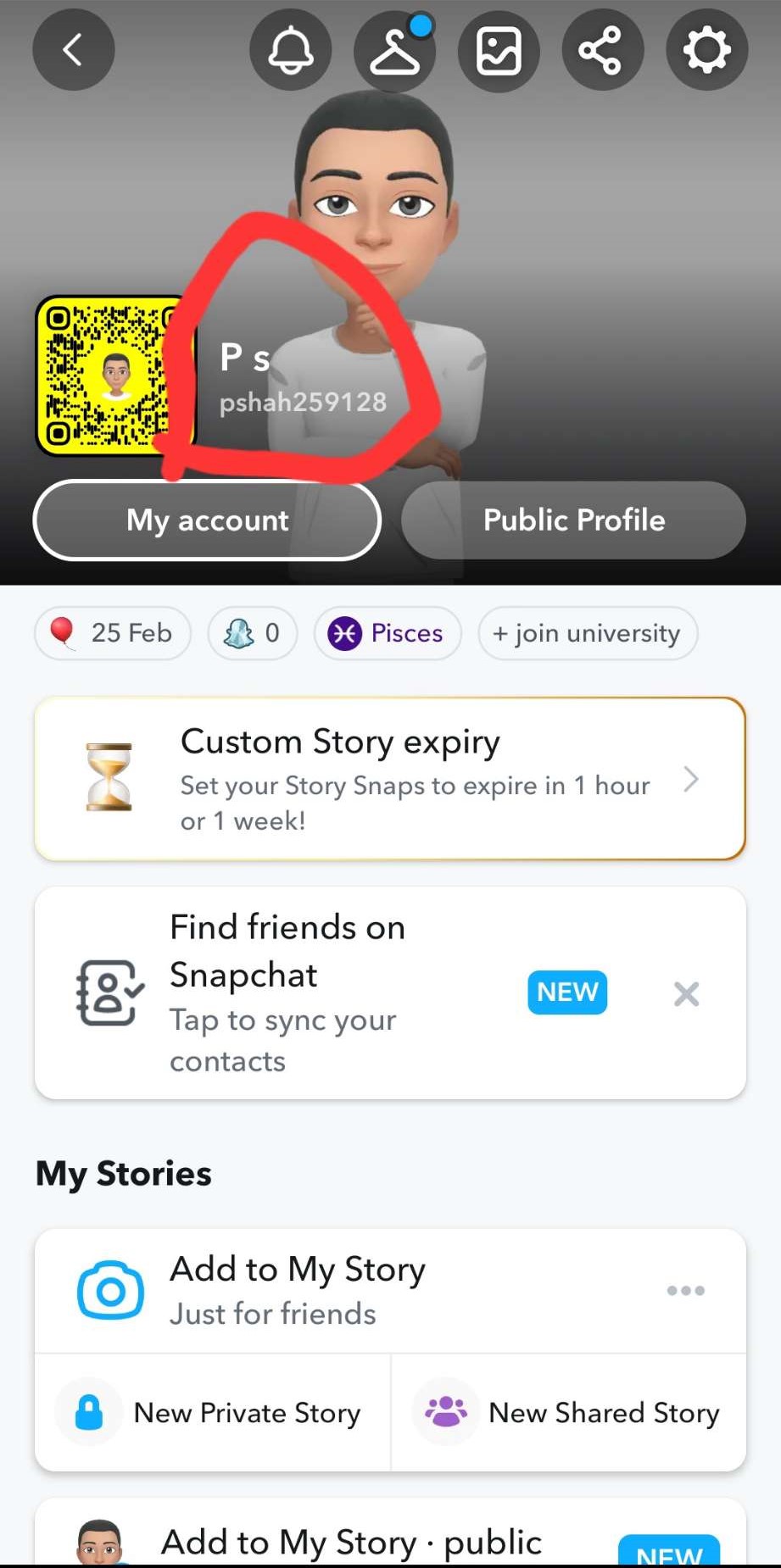
Step 2: Profile
copy profile user name.
Ex :https://www.snapchat.com/add/username.
How to Find Your Pinterest Profile Link
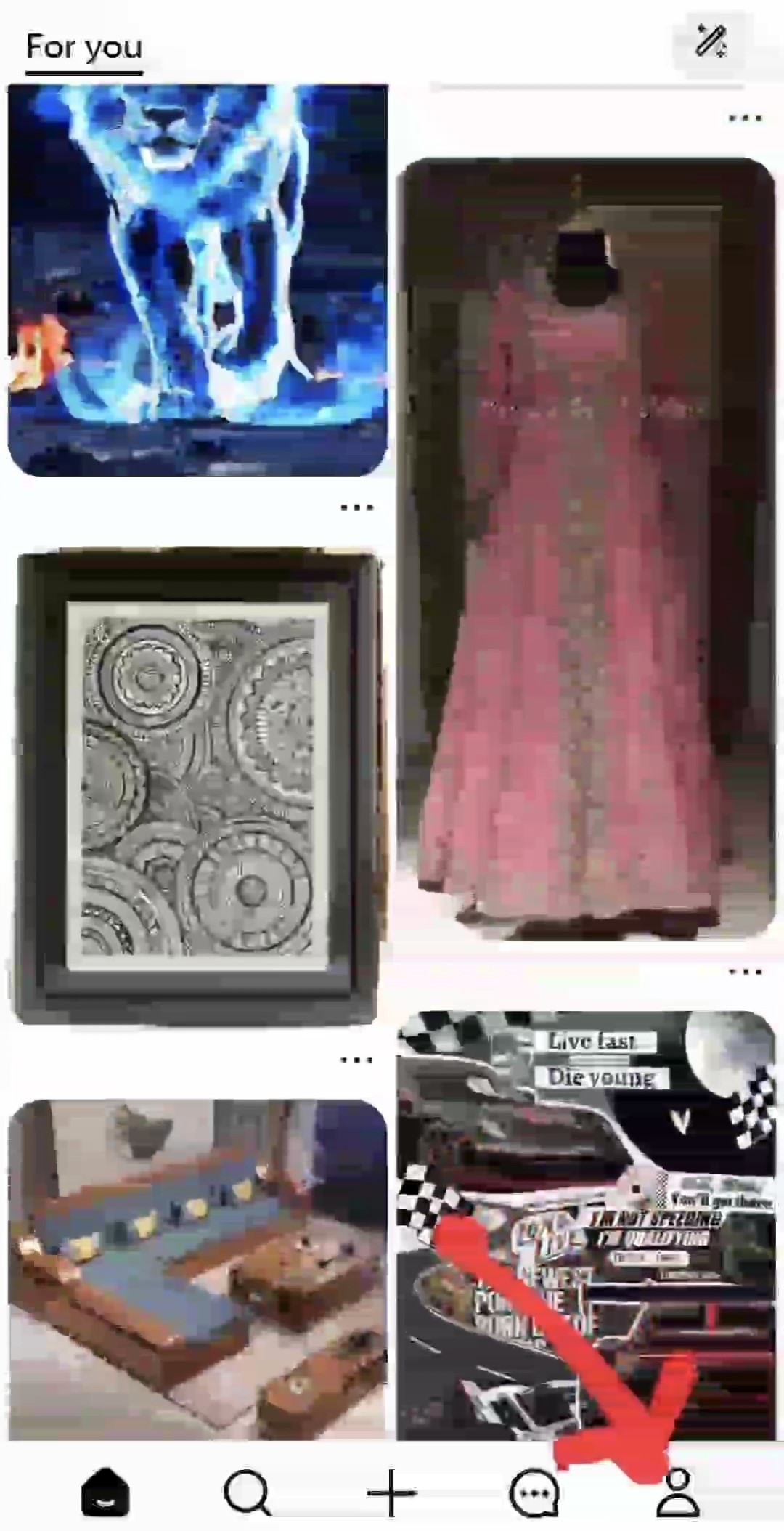
Step 1: Open Pinterest
Click on bottom of your profile icon.
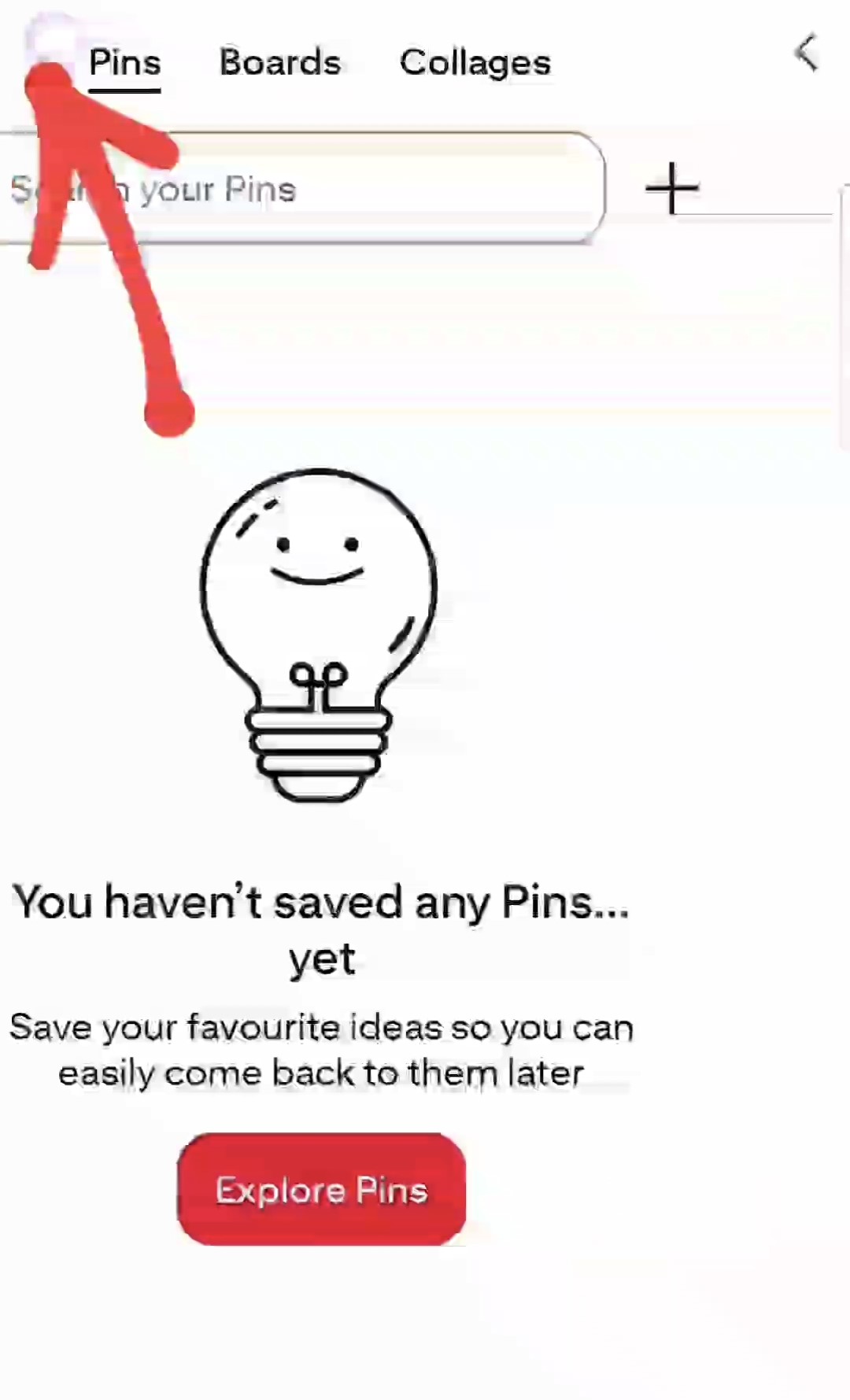
Step 2: Profile
click on profile icon.
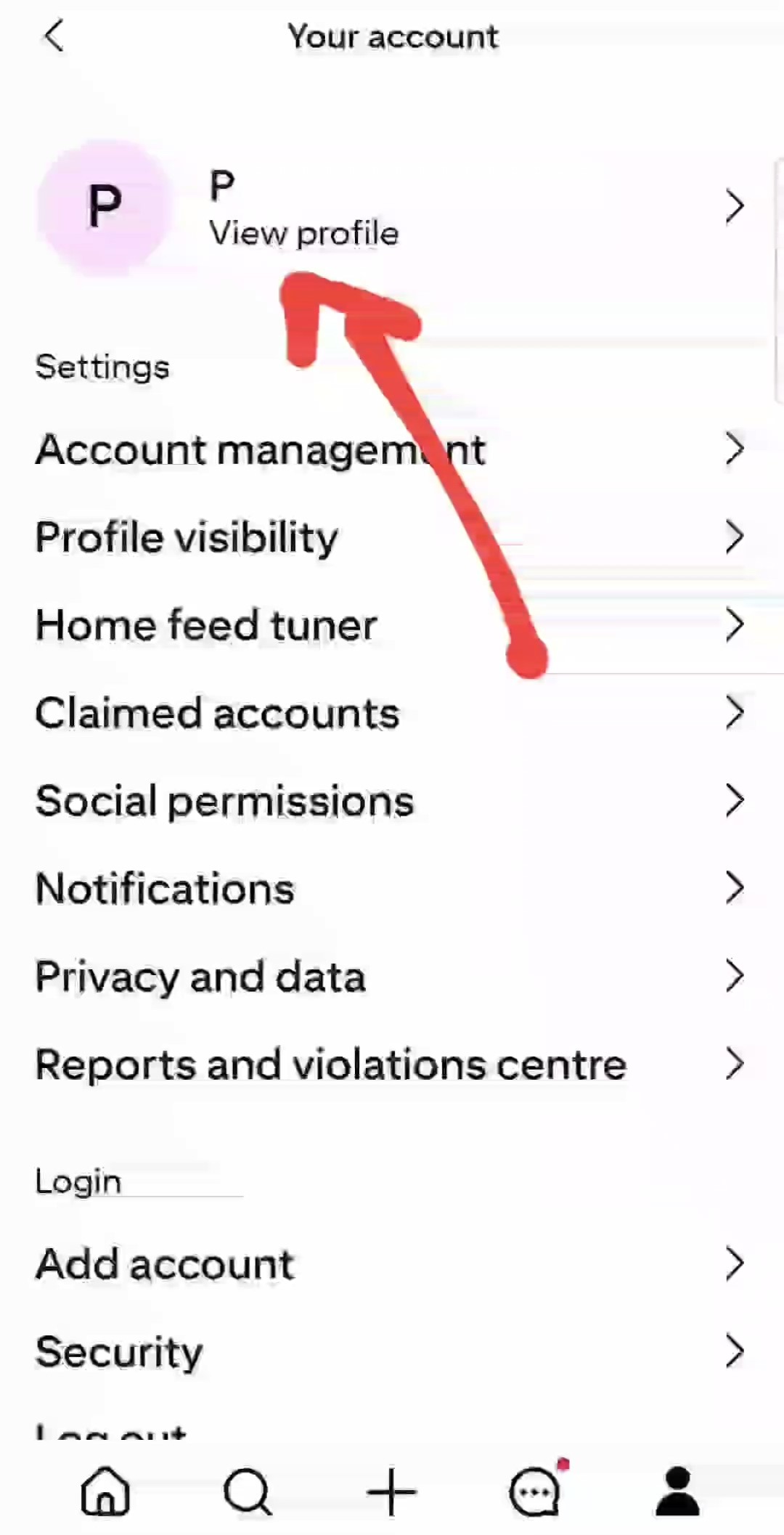
Step 3: Click on view profile.
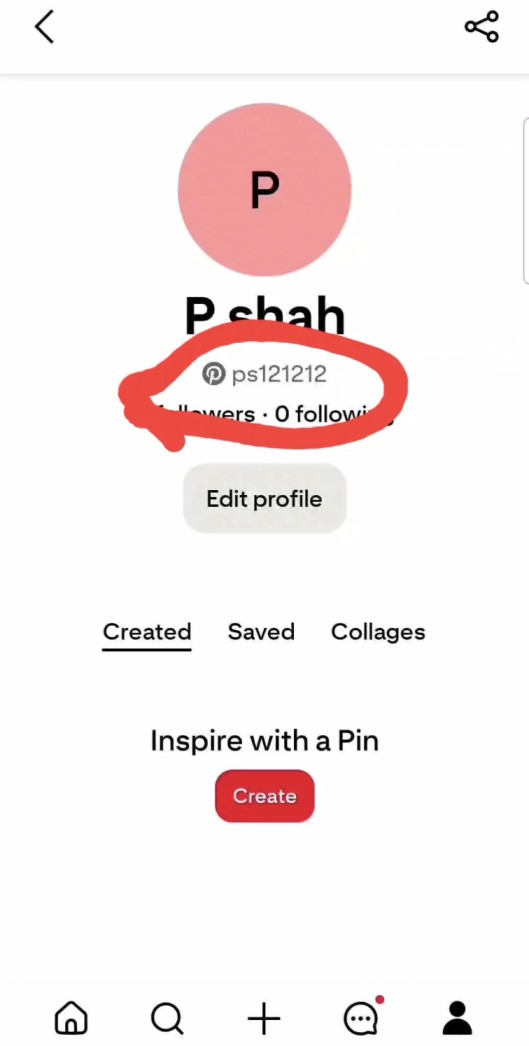
Step 4: Your user name of pinterest
copy your profile username [ps121212].
Ex : https://www.pinterest.com/username
How to Find Your X Profile Link
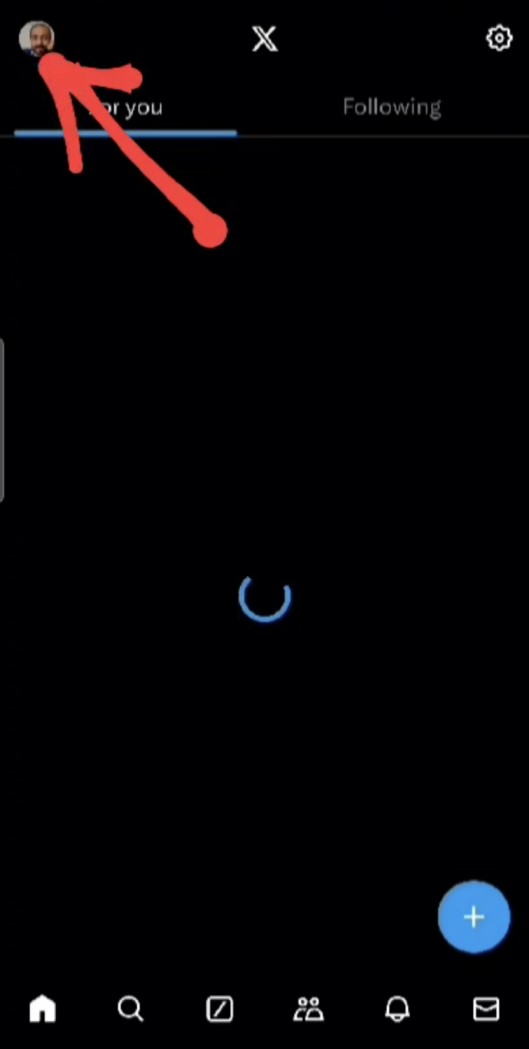
Step 1: Open X apps
Click on top of your profile icon.
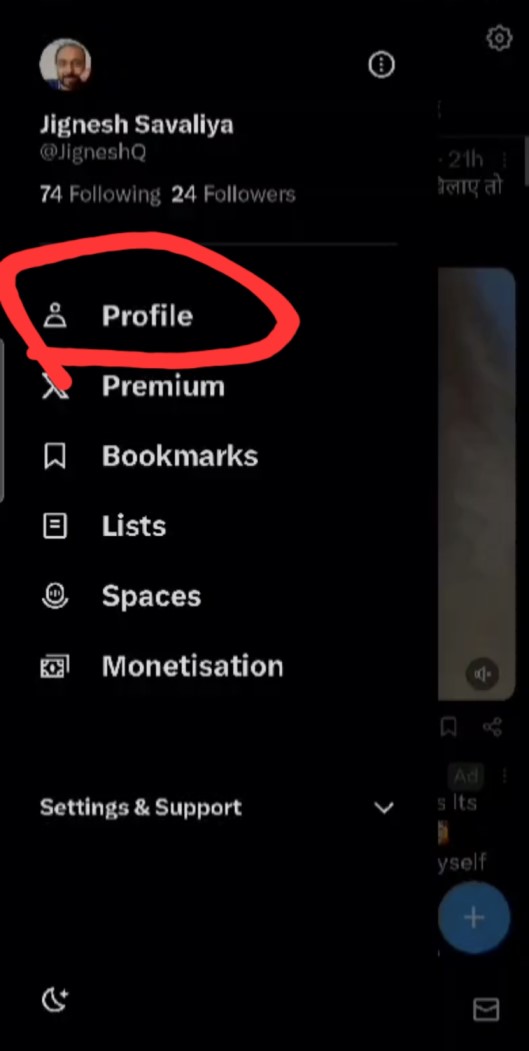
Step 2: Profile
click on profile link.
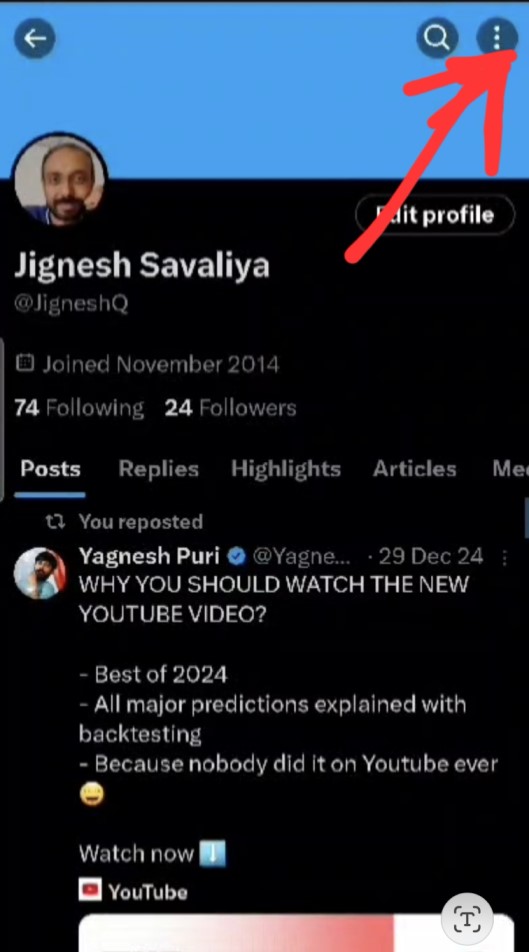
Step 3: Three Dots
click on three dots.
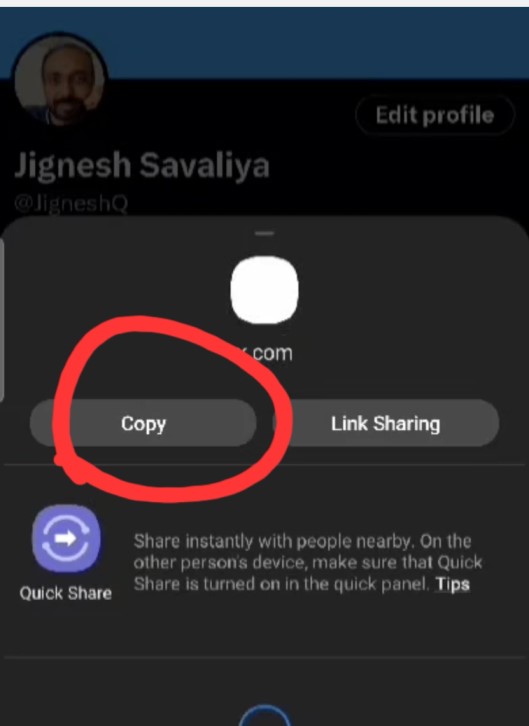
Step 4: Popup model.
Click on copy button or username upto question mark (?) icon
Ex : https://www.x.com/username
How to Find Your Youtube Profile Link
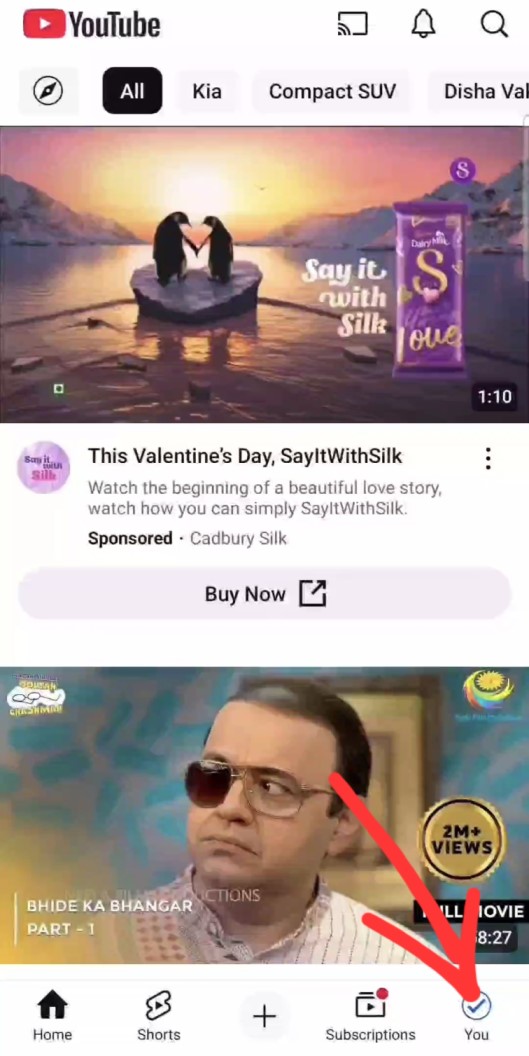
Step 1: Open Youtube
Click on bottom of your profile icon.

Step 2: Profile
click on profile icon.

Step 3: Click on pen icon.
Click on pen icon on page.
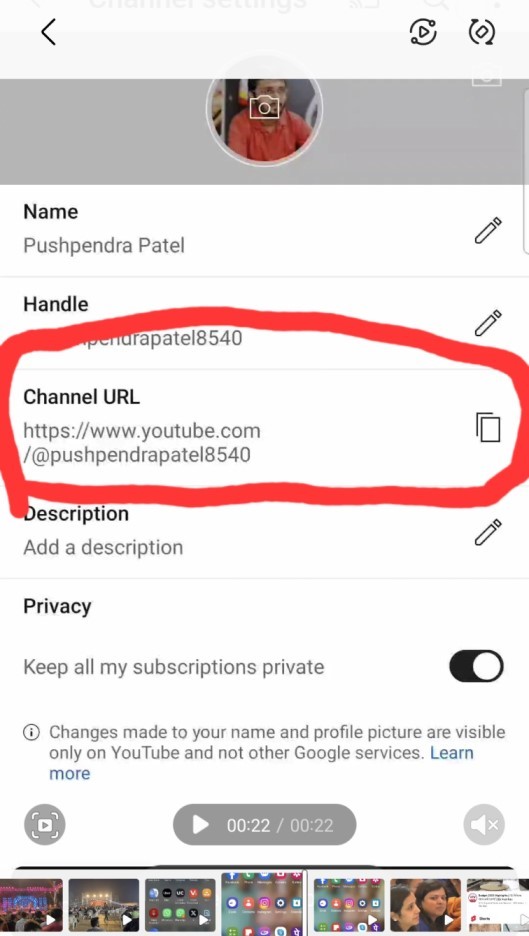
Step 4: Channel url
copy your channel url.
Ex : https://www.youtube.com/@username