Create & Customize Your QR Code for Free with AlinkMe
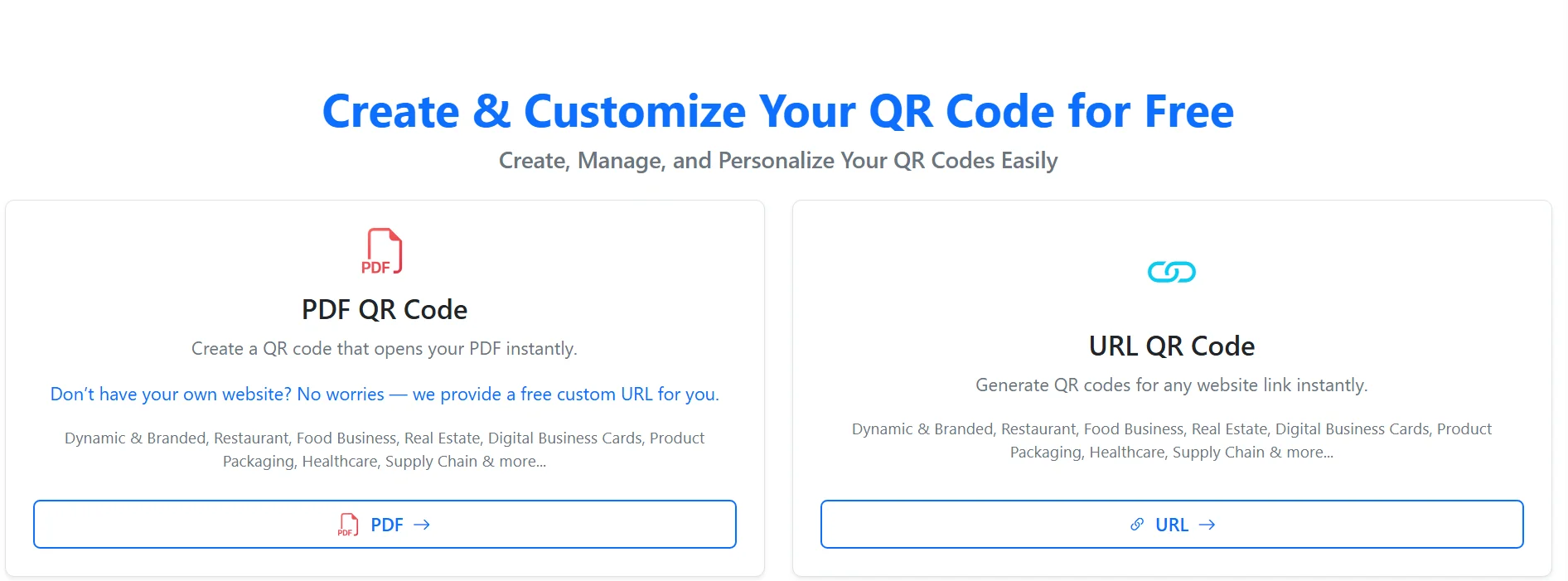
AlinkMe makes it easy to create, manage, and personalize QR codes for your business or personal use — completely free. Whether you want to share a website link or open a PDF instantly, AlinkMe’s QR Code generator helps you do it in just a few clicks.
With support for URL QR Codes and PDF QR Codes, AlinkMe is perfect for digital business cards, restaurants, real estate listings, product packaging, and more.
🔹 PDF QR Code – Share Documents Instantly
What is a PDF QR Code?
A PDF QR Code allows users to scan and instantly open a PDF file on their device. This is ideal for menus, brochures, catalogs, resumes, or guides.
Benefits of PDF QR Codes on AlinkMe
-
Open PDFs instantly with a scan
-
No website required — AlinkMe provides a free custom URL
-
Easy to update and manage
-
Professional and branded appearance
Common Use Cases
-
Restaurant menus
-
Business brochures
-
Product manuals
-
Real estate flyers
-
Healthcare documents
🔹 URL QR Code – Share Any Website Link
What is a URL QR Code?
A URL QR Code directs users to any website when scanned. This could be your personal profile, business website, social media page, or AlinkMe public profile.
Benefits of URL QR Codes on AlinkMe
-
Generate QR codes for any link instantly
-
Ideal for digital business cards
-
Works perfectly with AlinkMe profile links
-
Easy to scan and share across platforms
Common Use Cases
-
Business cards
-
Social media profiles
-
Product pages
-
Online portfolios
-
Event registrations
🔹 Why Use AlinkMe QR Codes?
AlinkMe QR codes are designed to be dynamic, branded, and business-ready.
✔ Free QR code creation
✔ No technical skills required
✔ Works for multiple industries
✔ Clean and professional design
✔ Easy link and document sharing
Industries that benefit from AlinkMe QR Codes include:
-
Restaurants & Food Businesses
-
Real Estate
-
Digital Business Cards
-
Product Packaging
-
Healthcare
-
Supply Chain & Logistics
🔹 No Website? No Problem!
Don’t have your own website yet?
AlinkMe provides a free custom URL, so you can still generate and share QR codes without any extra setup.
🔹 Start Creating Your QR Code Today
Creating a QR code with AlinkMe takes only a few seconds.
👉 Visit https://www.alinkme.com
👉 Choose PDF QR Code or URL QR Code
👉 Generate, customize, and share instantly